














User Guide
Shopping Cart
The shopping cart allows users to temporarily store selected products before completing their purchase.
Adding Products to the Cart
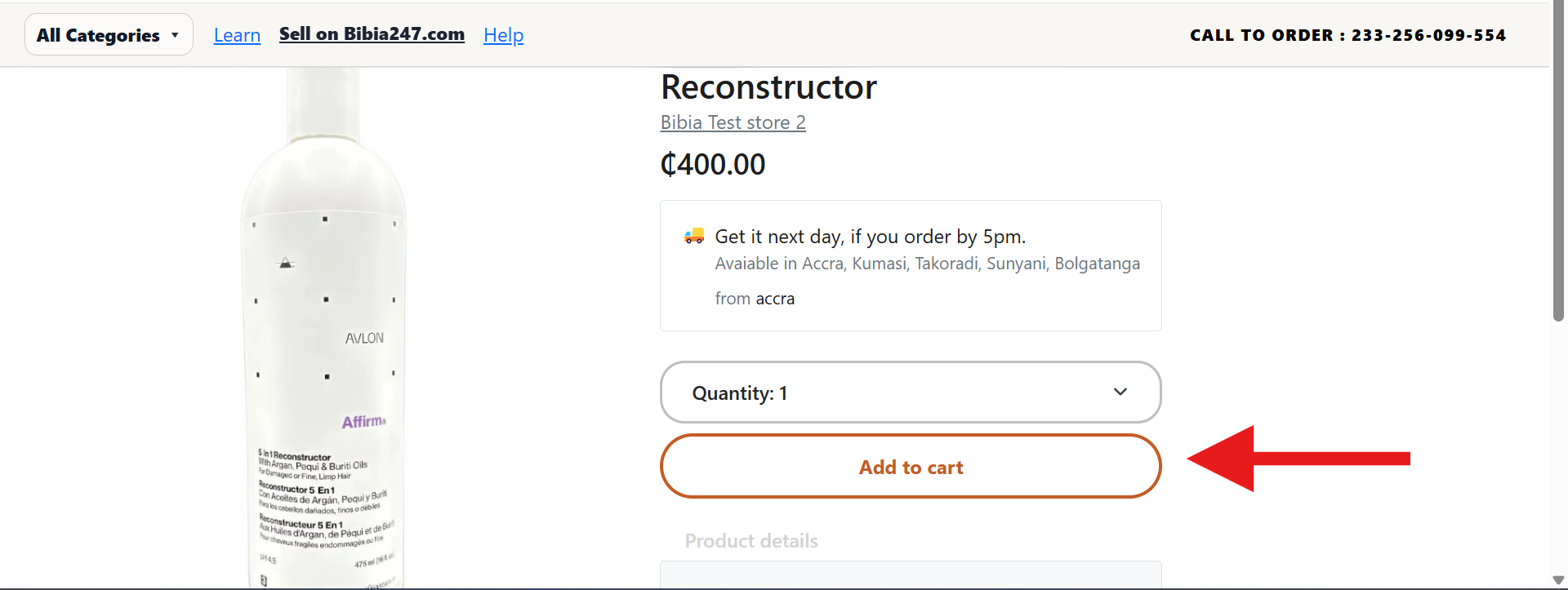
- Open the Product Details Page of the item you want to purchase.
- Select any required product options (size, style, or type).
- Choose the quantity.
- Click the Add to Cart button.
After adding a product, a confirmation message appears. Users can choose to Continue Shopping or View Cart.
Viewing the Cart
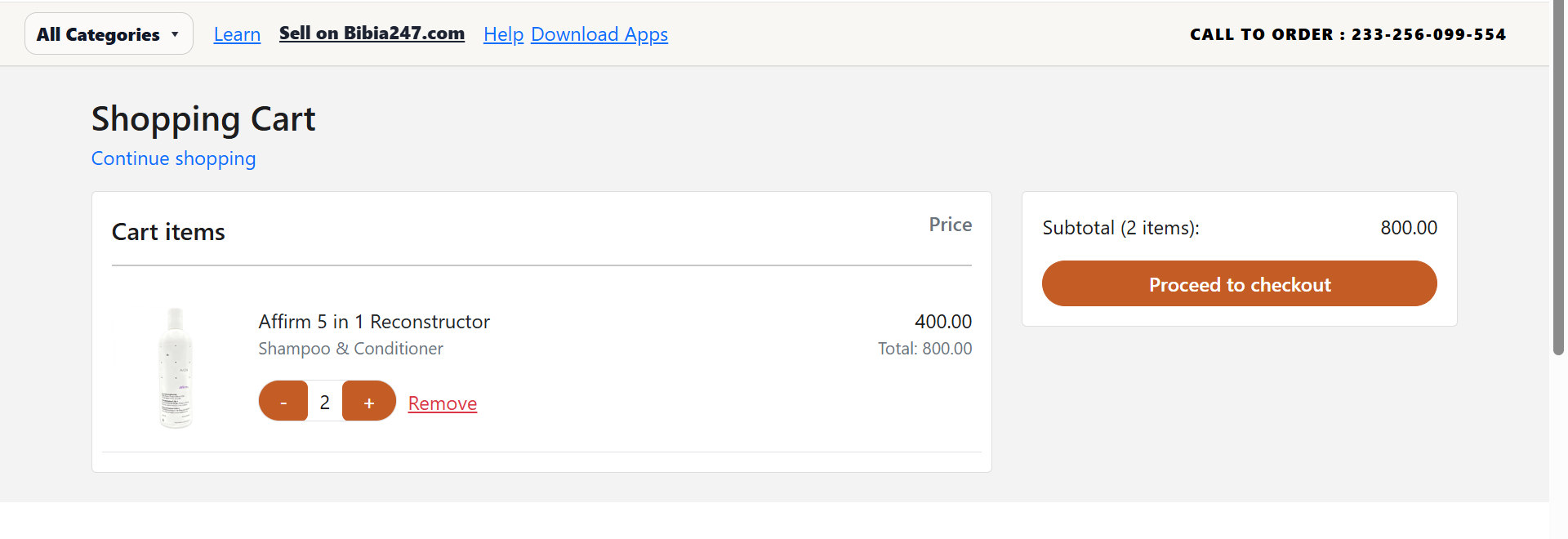
- Click the Cart icon in the top right corner of the page, or
- Click View Cart from the confirmation popup after adding a product.
The cart page displays:
- Product images
- Product names
- Item prices
- Selected quantities
- Cart subtotal
Editing the Cart
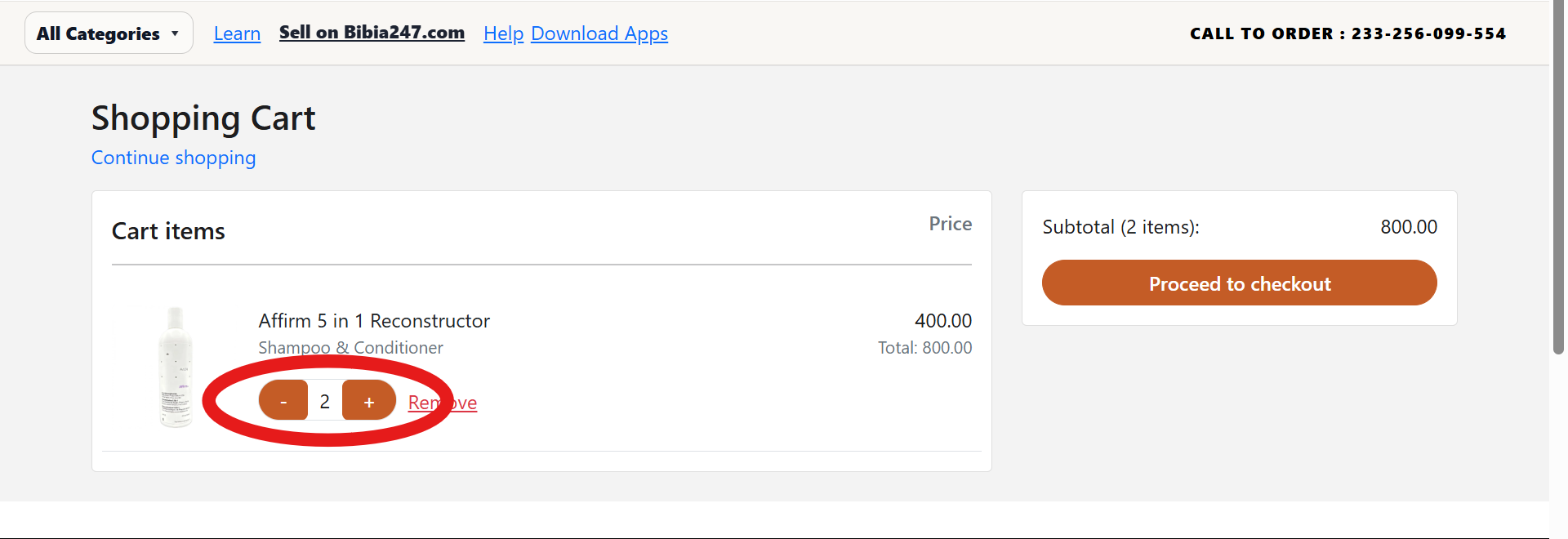
Users can modify items in their cart before checkout.
- Use the (+) or (-) buttons to increase or decrease quantity.
- Click Remove to delete an item from the cart.
- Click Continue Shopping to go back and add more items.
After reviewing the items, click Proceed to Checkout to complete the purchase.
Need help with your cart? Visit Support for direct assistance.