User Guide
Payment
After checkout, users proceed to payment to finalize their order. Payments are securely processed through Paystack.
Payment Options
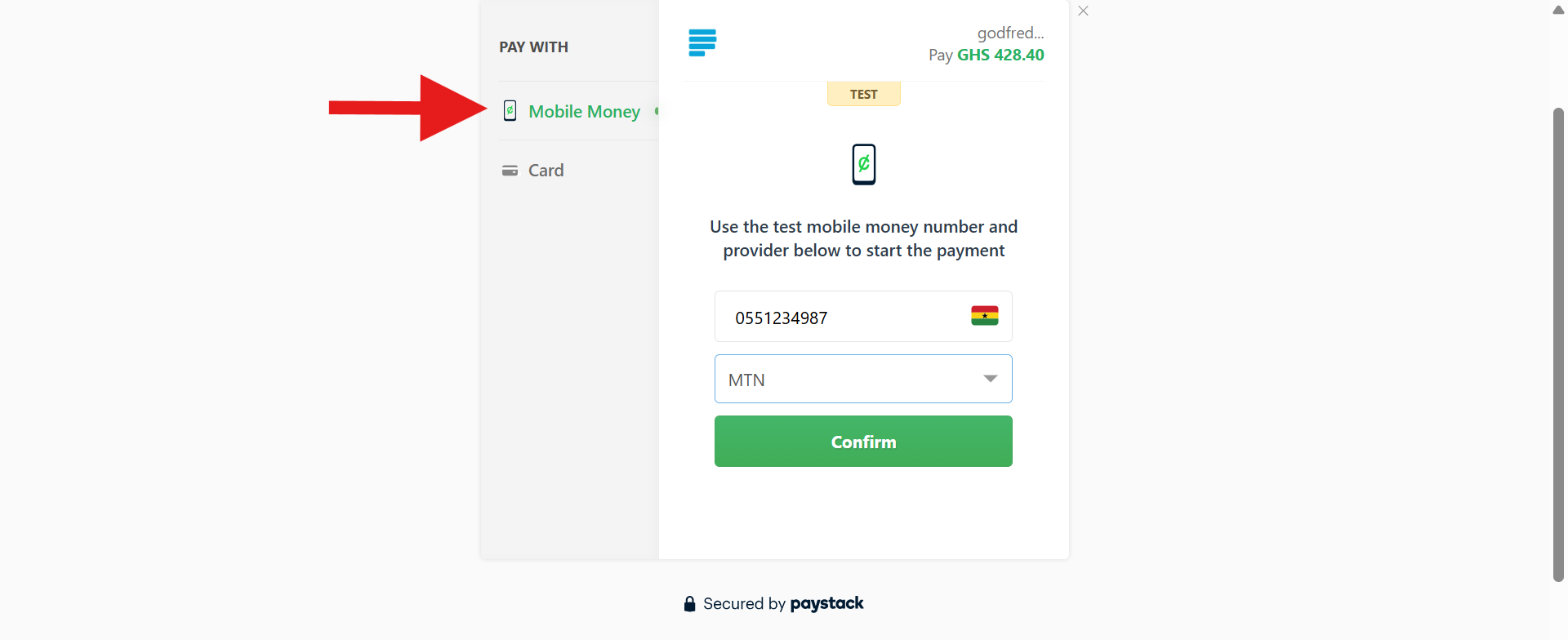
Mobile Money
Pay using a mobile money wallet. Supported providers:
- MTN Mobile Money
- Airtel / Tigo Money
- Telecel (formerly Vodafone Cash)
Card Payment
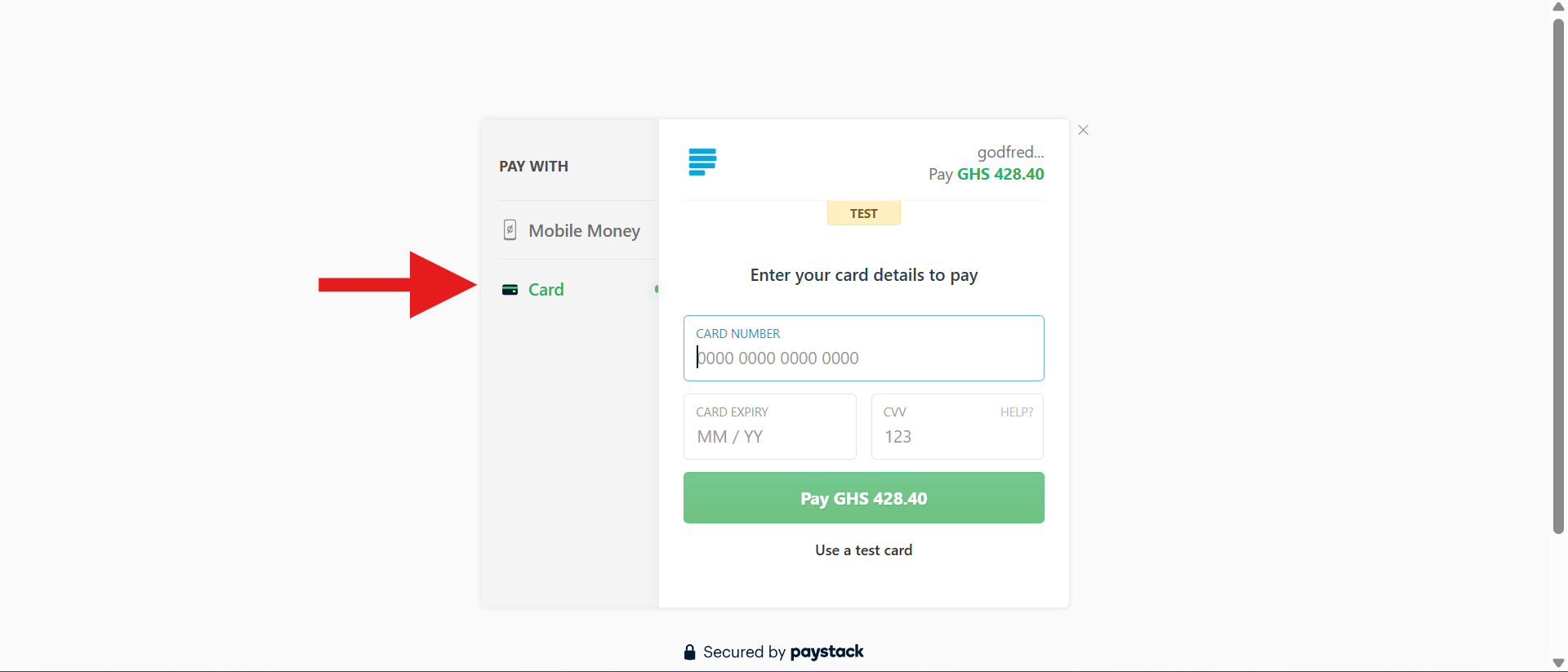
Pay using a debit or credit card by entering card details during checkout.
Step-by-Step Payment Process

1
After checkout, click Continue to Payment.
2
Select a payment method: Mobile Money or Card.
3
Mobile Money: Enter your mobile number, choose network provider, click Confirm, and approve payment on your phone.
4
Card Payment: Enter your card number, expiry date, and CVV code, then click Pay.
Payment Confirmation

A Payment Successful message appears once the transaction is processed. A confirmation email with your order details is sent to you. Click Continue Shopping to return to the homepage.
Need help with payment? Visit Support for direct assistance.