User Guide
Ordering
Users can place an order on Bibia247 through checkout after adding items to the shopping cart.
Placing an Order
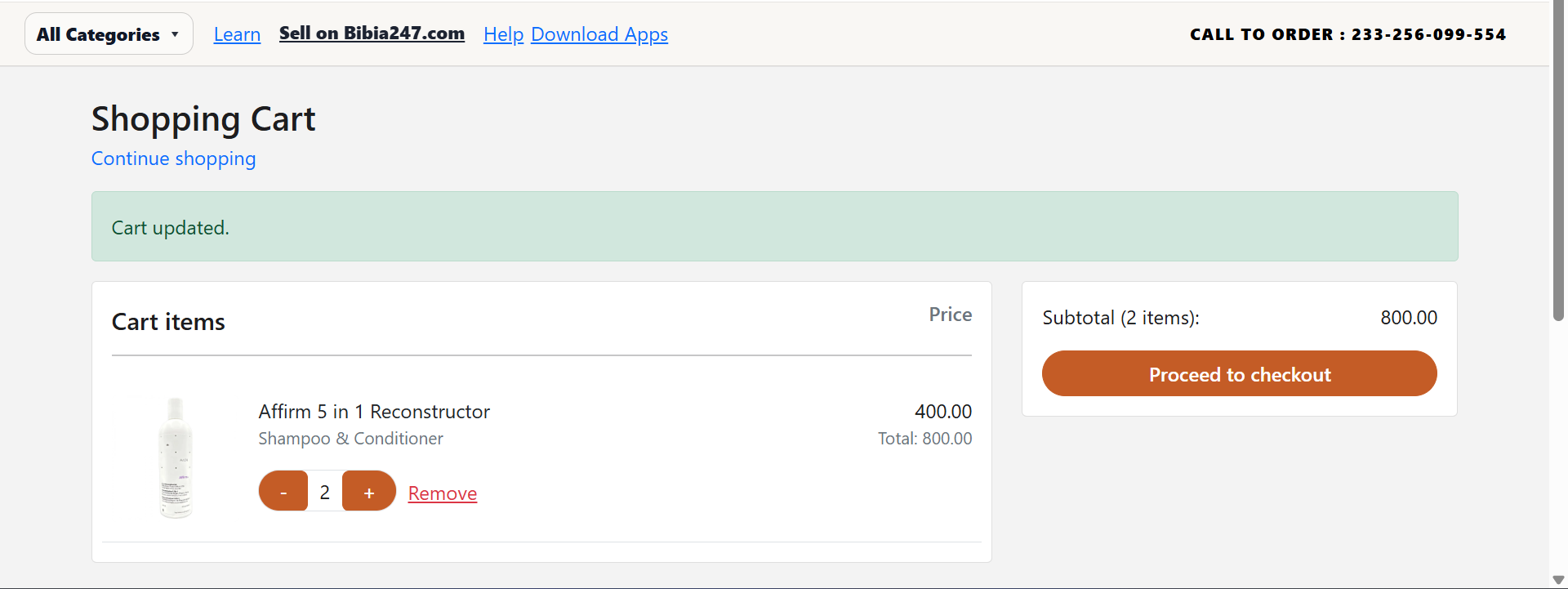
- Add desired products to the shopping cart.
- Open the Shopping Cart page.
- Review the items, quantities, and subtotal.
- Click Proceed to Checkout to open checkout.
Checkout Process
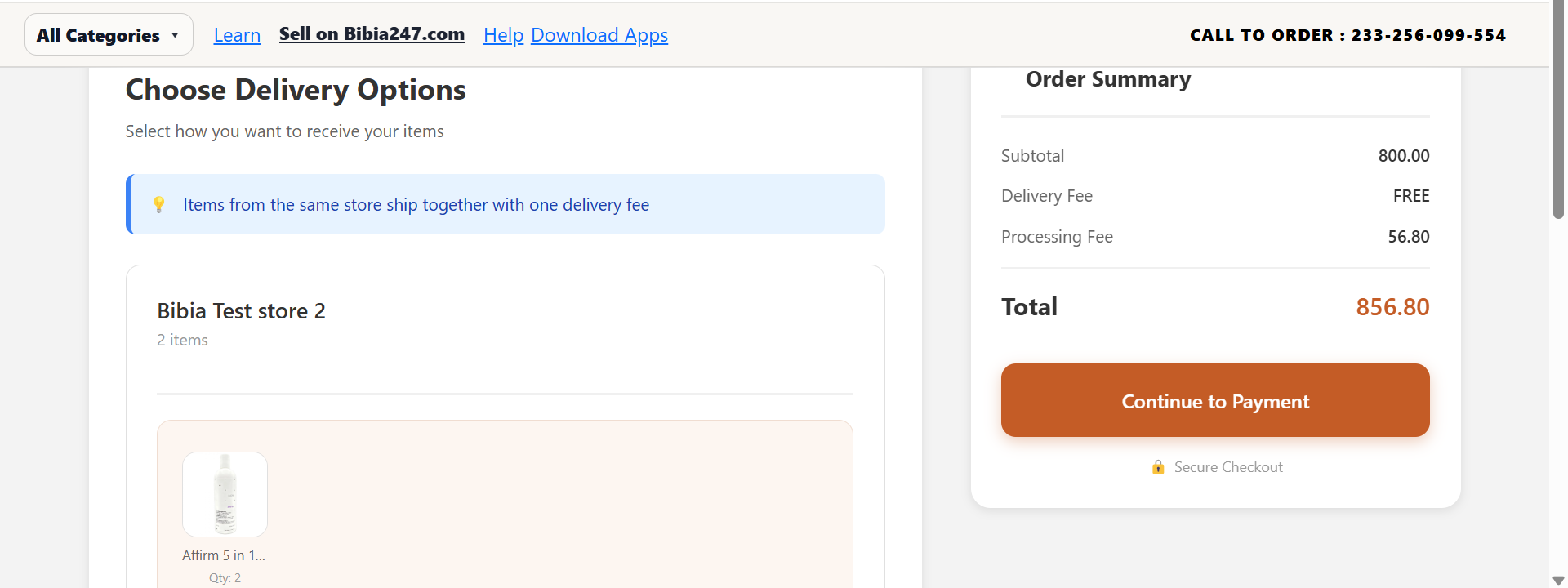
During checkout, the system displays the full order summary including:
- List of products
- Subtotal
- Delivery fee (if applicable)
- Processing fee
- Final total amount
After reviewing the order summary, click Continue to Payment to proceed.
Choosing Delivery Method
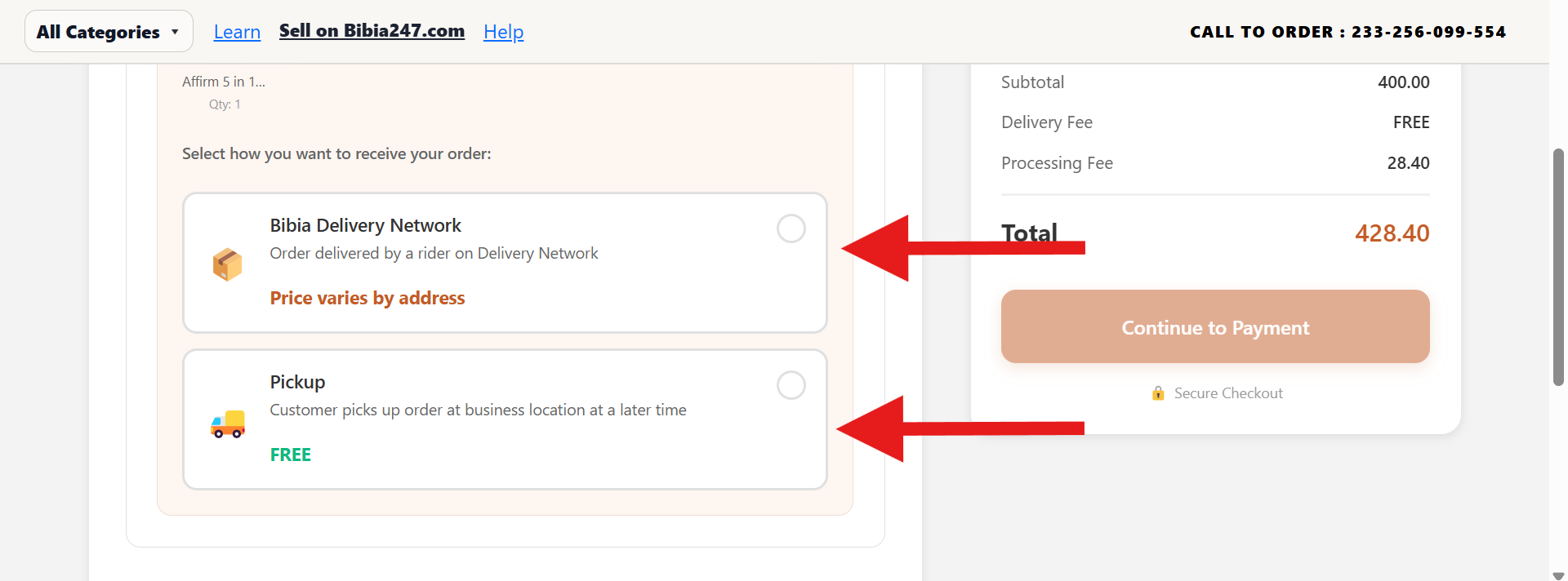
Users must select how they want to receive their order.
Bibia Delivery Network
Order is delivered by a rider. Delivery cost may vary depending on the address.
Pickup
Customer collects the order from the business location. No delivery charge applies.
Entering Delivery Details
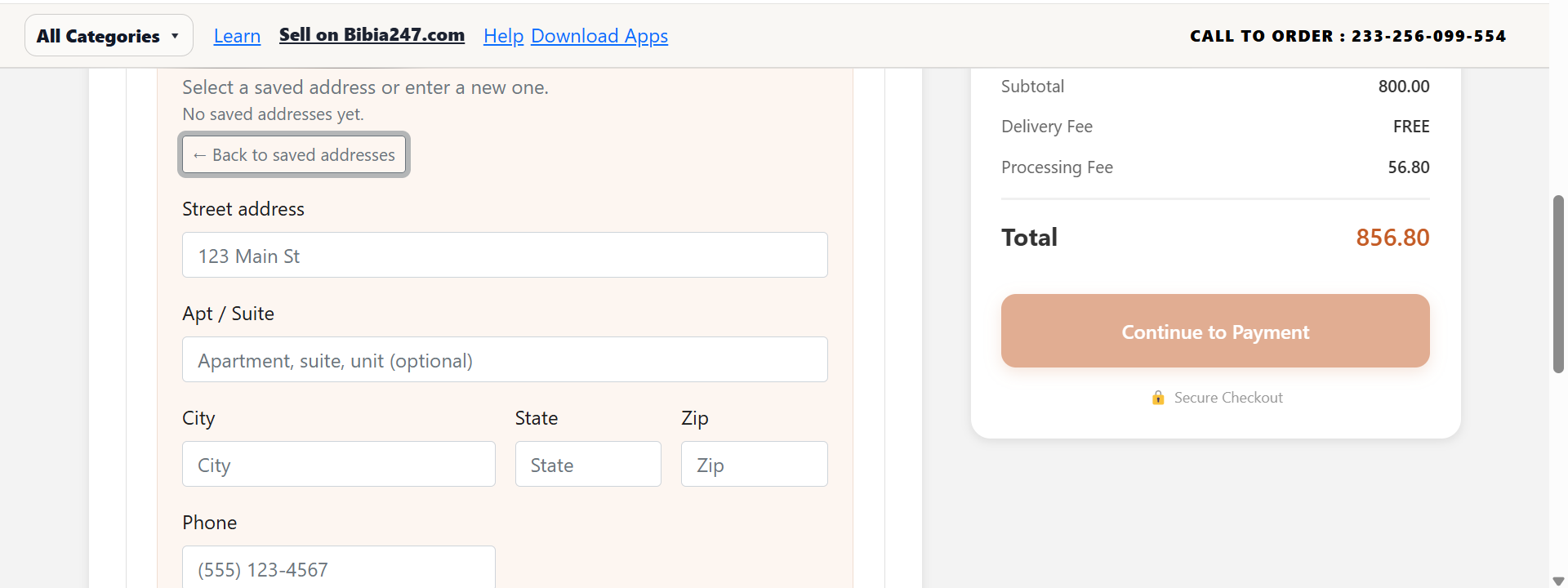
If delivery is selected, users must provide the following information:
- Street address
- Apartment or suite (optional)
- City
- State
- Zip code
- Phone number
After entering the address, click Get Delivery Quote to calculate the delivery cost.
Need help placing an order? Visit Support for direct assistance.